Christmas Card, 2024 Edition
December 7, 2025
This is an archived version of the page describing my 2024 Christmas Card.
Hello! You’ve perhaps reached this page because you received a Christmas card that looked something like this:
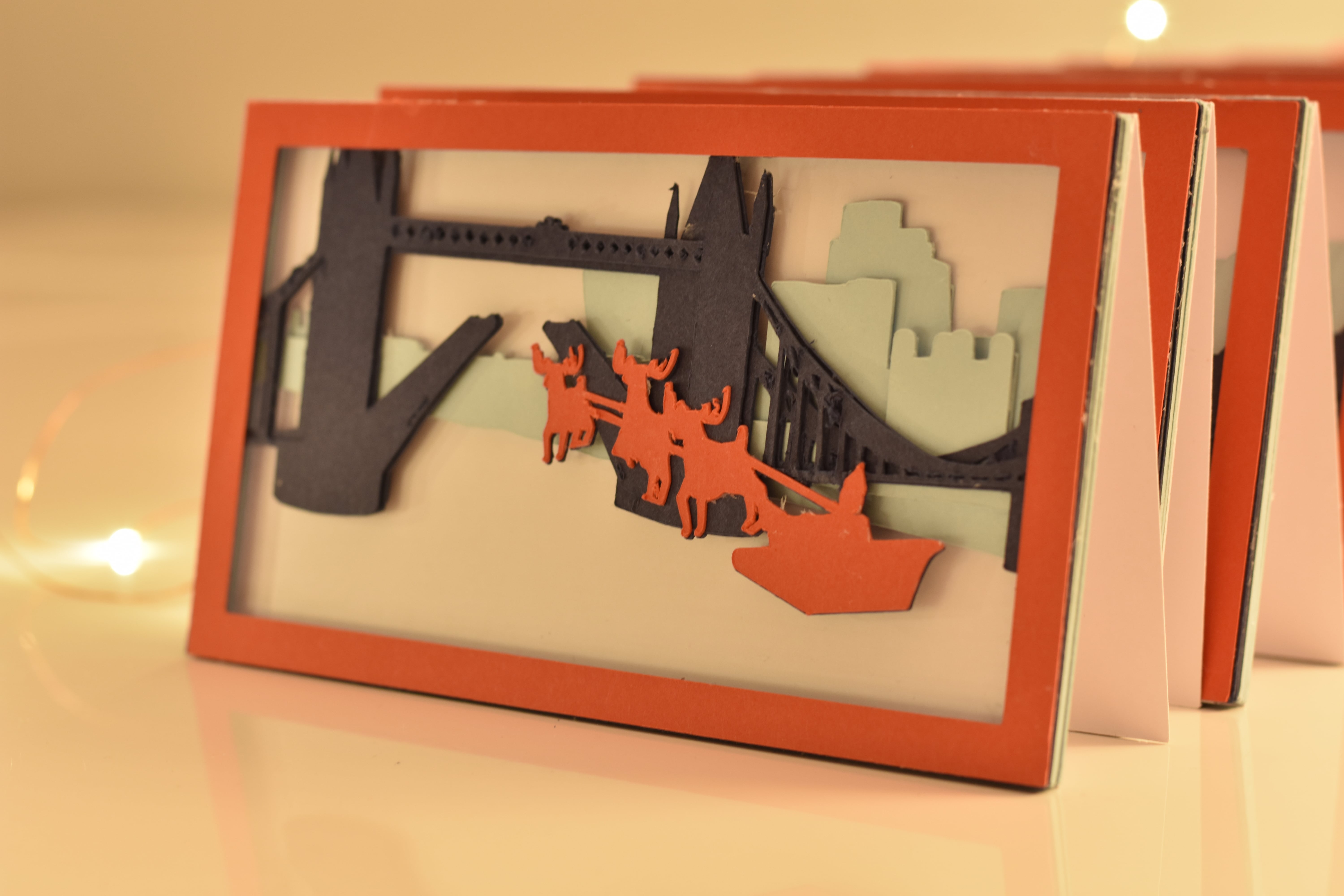
Your card was handmade and totally unique! It’s part of a series of cards I made this year:
As far as I know this is the first series of Christmas cards that form a stop motion animation, the first to use 3D → 2.5D conversion for cut card, and a shockingly rare example of a geographically accurate London Christmas card!
So now for the story of how I put entirely too much effort into this year’s Christmas cards…
Last Christmas, after years of sending perfectly nice but not very personal commercial cards, I decided to make my own. Seeing as I’d finished running the River Thames this spring it seemed fitting to feature the river somehow. Tower Bridge is almost certainly the most recognisable point on the river, so I set the card there.
However, there was one small problem when I started this project back in August: I can’t draw. No sense of proportion or perspective. Nada.
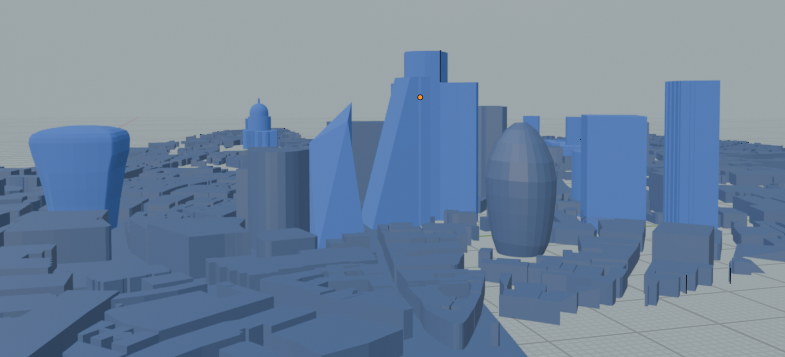
So instead I turned to the only logical alternative: learn the basics of 3D modelling in Blender.1 After a few attempts at simpler projects I set about modelling my scene. I used OpenStreetMap data to grab all of central London’s buildings, and then modelled a few more prominent buildings manually:
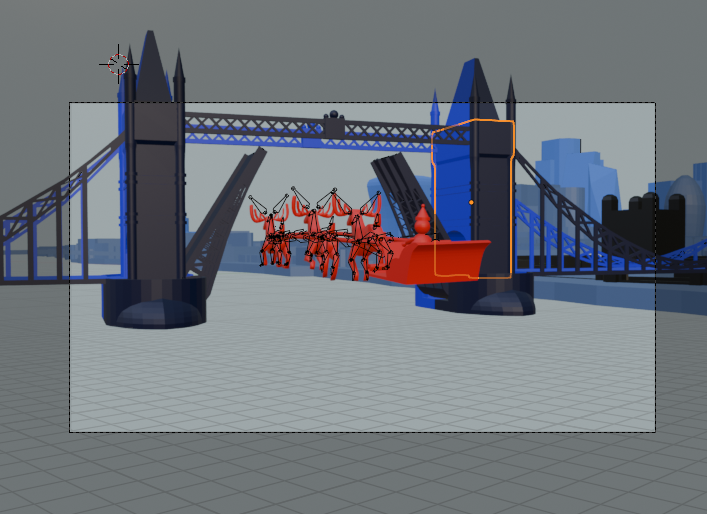
Next, I added a sleigh and some reindeer and worked out how to animate them, the camera, and Tower Bridge:
I had to transform the 3D models into 2D outlines that I could cut into card. To avoid cutting over 500 pieces of card by hand I instead bought a Cricut cutting machine, which can take 2D SVG files and cut them into card. Although there are Blender plugins that can produce SVGs I couldn’t find anything that did exactly what I wanted, so I spent a TGV ride through France writing Python scripts to rasterise my scene’s triangles into 2D, and then relied on Inkscape’s automation to combine these.2
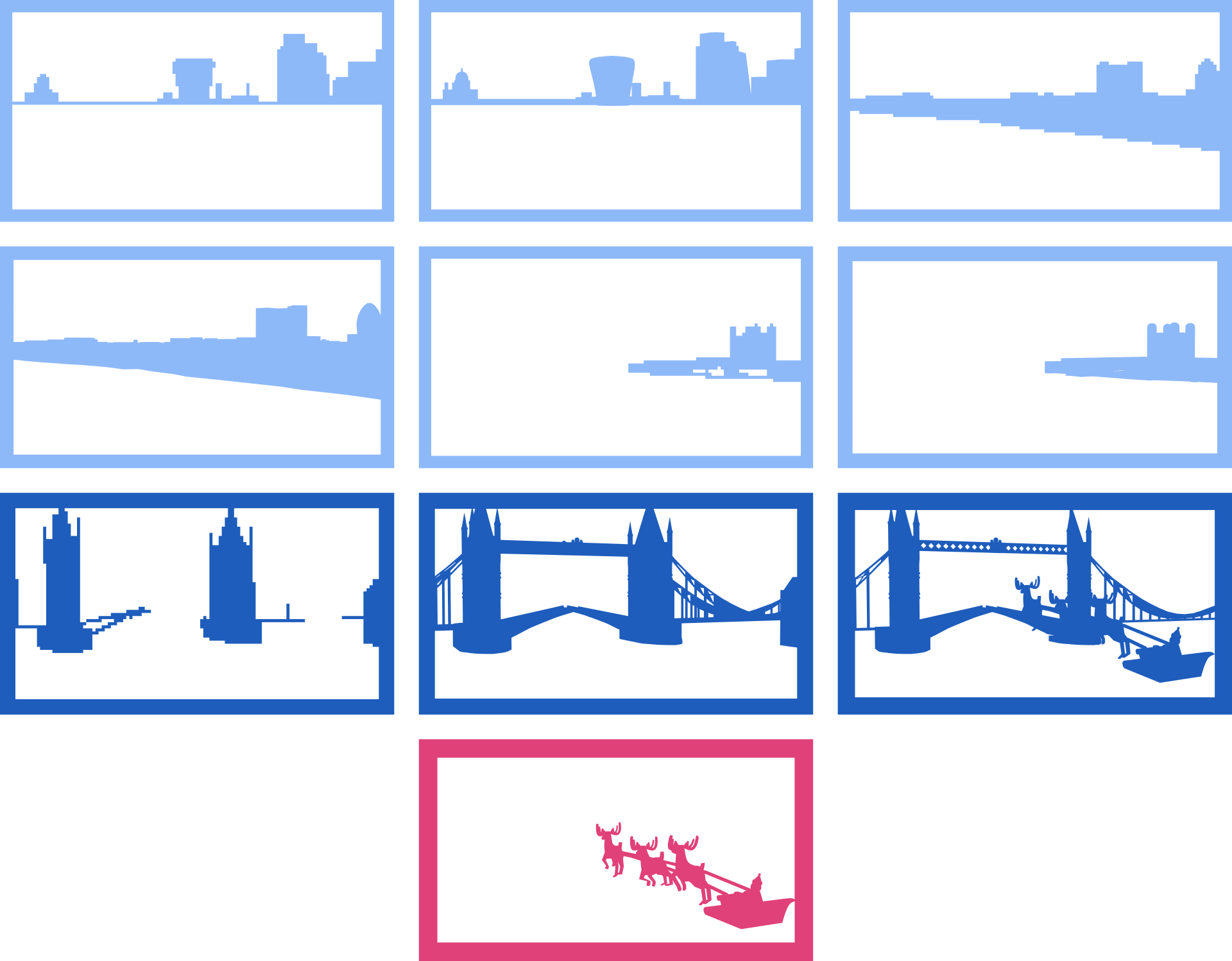
The Python scripts also generated pixelated “support layers”. Each final card is constructed of 10 coloured layers. I manually assigned which layer each building appears as this prevented buildings “jumping” between layers between different cards. The layers are set up to ensure that all elements are either joined with the frame or, in the case of the sleigh and reindeer, can be aligned with a matching copy on the layer below.
Cutting these took… a while. I worked in batches and got through several seasons of several TV shows in the background. Assuming nothing went wrong I could typically cut a card in about half an hour, but as I had to cut around 250 A4 sheets I regularly destroyed the cutting mats I was working with, so the card would sometimes slip off and I’d have to start over.
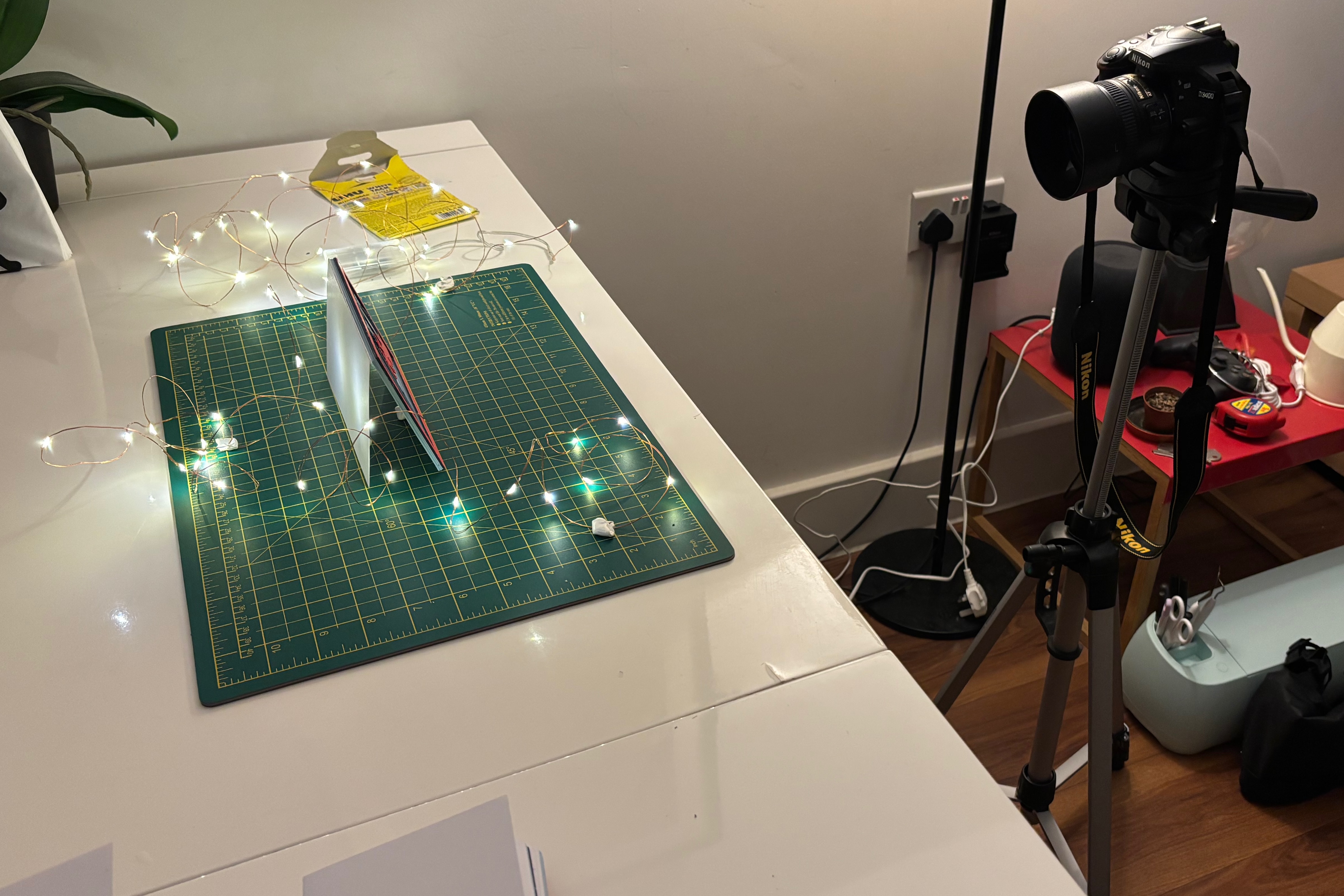
Finally, each card was lined with Rhodia paper and I signed them with Robert Oster’s Heart of Gold ink. Each card is numbered by the original frame from the Blender animation. (I skipped some frames.)
I strongly suspect next year’s cards will be a little simpler… I worked on this on-and-off for much of the autumn, with a final push to actually cut and construct all the cards in late November. Including all the modelling, animation, programming, cutting, gluing, and writing time I easily invested over 150 hours over 4 months. But I had a lot of fun: this was a great excuse to develop some new creative skills.
It’s been years since I last tried Blender but this was the first time I built anything complex. That said I wasn’t starting from nothing: 3D graphics aren’t exactly new to me.↩︎
For the first time I also relied on LLMs to write a lot of the more boring code for me. A lot of the code is simple: matrix-vector multiplication; depth first searches; filtering geometry that’s too small to cut based on the size of its convex hull. My attitude towards all this code was trust, but verify. I could’ve written all this myself but I used the LLM only to accelerate the process.↩︎